Creating Video from Still Images with AI Tools
@getimagevideoaigeneratorsource
November 11, 2026 · 7 min read
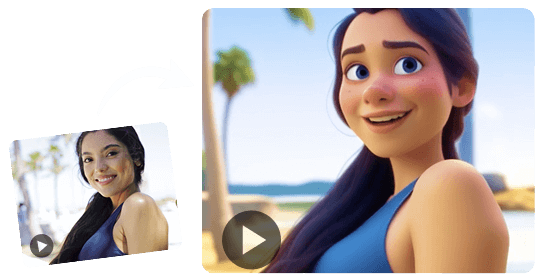
For years, turning a single photograph into a moving video clip required complex software, layers of manual editing, and hours of rendering. The process often felt out of reach for anyone without a background in animation or visual effects. That has changed with the emergence of tools that use machine learning to generate motion from a static image, sometimes known as an image to video ai generator.
These systems work by analyzing the visual information in a picture and predicting how objects, textures, and backgrounds would move if the scene were alive. Instead of animators drawing each frame by hand, the model synthesizes plausible motion based on patterns it learned from thousands of video clips. The result is a short video that looks as if it was recorded, not fabricated.
How Motion Is Synthesized from a Still Image
At the core of these tools is a technique called motion synthesis. The model receives a single image and must decide which elements are likely to move and in what direction. For example, a photo of a person holding a coffee cup might involve the steam rising, the cup lifting slightly, and the person's arm shifting. The system estimates these movements by referencing a latent space of motion patterns, essentially a compressed representation of how things typically behave.
To keep the video believable, the model must maintain temporal coherence. Each frame must look like a logical continuation of the previous one, without sudden jumps or distortion. This is where video frame interpolation plays a supporting role. After the model predicts a few key frames, interpolation fills in the gaps to create smooth motion between them. The combination of prediction and interpolation produces fluid clips that avoid the jerky quality of early experiments.
Subject Consistency and What It Means
A common challenge in AI-generated video is that the main subject can change appearance from frame to frame. A face might shift proportions, a logo could warp, or background details might flicker. Good systems place a heavy emphasis on subject consistency, ensuring the person or object in the first frame stays recognizable throughout the clip. This is achieved through attention mechanisms that track the subject across the sequence and adjust the generated pixels to keep them aligned.

Without subject consistency, a video might show a dog turning into a different breed halfway through the clip, which breaks the illusion. Modern models handle this by conditioning each frame on the original image and on the previous frame, creating a chain of visual references that preserves identity.
From Image to Video Workflow
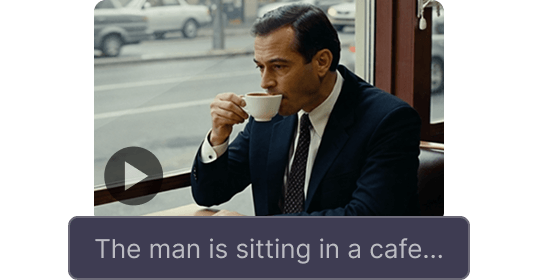
Using an image to video ai generator typically follows a straightforward workflow. You start with a high-quality image that has clear subjects and good lighting. The tool then asks for a text prompt or a motion hint, such as "waves crashing" or "person walking left." Some systems allow you to specify the duration, up to a few seconds, and the style, such as cinematic or realistic.
The generation itself takes place on a server, often using a latent diffusion model. This type of model gradually adds noise to the image and then reverses the process, guided by the text prompt and motion cues, to produce a sequence of frames. The output is a short-form video, typically between three and ten seconds, that can be exported as an MP4 or GIF.
Because the process is automated, you can iterate quickly. If the first result looks off, you adjust the prompt or the starting image and generate again. This speed makes the tool useful for social media content, concept visualization, or any situation where you need a moving visual from a single photo.
Practical Considerations and Trade-Offs
Not every image works well. Photos with complex overlapping elements, like hair blowing in the wind or water splashing, are harder for the model to handle. The model may produce artifacts, such as blurred edges or unnatural warping, in areas where motion is ambiguous. Starting with a simple composition and a clear focal point gives better results.
Another factor is the type of motion you request. Large movements, like a person jumping across the frame, are more challenging than subtle motions, like a candle flame flickering. The model has to invent more visual information for big motions, which increases the chance of errors. For reliable outputs, start with gentle motion and gradually experiment with more dynamic scenes.
Cinematic Audio and the Final Polish
Some tools also include the option to add cinematic audio, meaning sound effects or background music that matches the mood of the video. The audio is either generated from the scene or selected from a library. While not essential, sound can elevate a short clip from a technical demo to something that feels like a finished piece of content.
If you plan to use the video in a project, keep in mind the resolution and frame rate. Many generators output at 720p or 1080p and at 24 or 30 frames per second, which is sufficient for web use. For broadcast or large-screen display, you may need to upscale later, which can introduce softness if the original generation was low resolution.
What to Look for When Choosing a Tool
Different platforms offer varying levels of control. Some let you paint motion directly onto the image, specifying which regions should move and how. Others rely entirely on text prompts. Decide which interface matches your comfort level. If you prefer fine control, look for a tool that offers motion masks or region-based animation. If you want speed, a prompt-based system is faster to use.
Check how the tool handles subject consistency by testing it with a portrait or a product photo. Generate the same image several times and see if the face or logo stays stable. Also examine the video for flicker, where brightness or color changes randomly between frames. Flicker is a sign that temporal coherence is weak.
Finally, consider the output length. Most generators cap clips at around ten seconds. For longer narratives, you would need to stitch multiple clips together, which introduces its own challenges with continuity. A single ten-second clip is often enough for a social post or a website hero section.
The Current State and Where It Is Heading
The technology is still maturing. Models that launched a year ago produced videos that were short, low-resolution, and prone to distortion. Today's versions offer longer clips with better consistency and higher detail. The improvements come from larger training datasets, more efficient architectures, and better loss functions that penalize flicker and warping.
One area of active research is enabling the model to understand scene depth and object permanence. If a person walks behind a tree, the model should remember that the person still exists even when hidden. This is a difficult problem because the model must infer occlusion and continue the motion naturally. Early results are promising, and future iterations will likely handle occlusions more gracefully.
Another frontier is interactive control. Instead of typing a prompt, you may soon be able to draw a rough motion path and have the model follow it. This would give creators a level of precision that is currently only possible with traditional animation tools, but without the manual effort.
Getting Started on Your Own Projects
If you want to try this technology, begin with a clear, well-lit image that has a single subject. Write a short prompt describing the motion in simple terms, like "wind blowing leaves" or "person nodding head." Generate a few versions and compare them. Notice which prompts produce natural motion and which cause distortion. Over time, you will develop a sense for what the model handles well.
Keep the output short. A five-second clip with clean motion is more effective than a fifteen-second clip with visible artifacts. You can always combine several good clips later if you need a longer sequence. And do not forget that the starting image matters more than the prompt. A strong photo gives the model a solid base to work from, while a weak photo forces the model to compensate by inventing details, which often leads to errors.
These tools are not replacements for professional animation or live video. They are a new way to bring still images to life quickly, with minimal effort. For marketers, educators, and content creators, that speed and accessibility open up possibilities that were previously impractical. As the technology improves, the line between a generated clip and a recorded one will continue to blur, making this an exciting area to watch.